Asahi has partnered with Fedora to run Linux (Fedora Asahi Remix) on M1, M2 and M3 Apple computers.
To install Fedora 40:
curl https://alx.sh | sh
Reference: Introducing Fedora Asahi Remix - The most polished Linux® for Apple Silicon Macs.
Set the setuid flag on "mount.cifs":
sudo chmod u+s /usr/sbin/mount.cifs
Add a mount statement to your /etc/fstab file. For example:
//NAS_IP/Shared_Folder /media/mounting-point-directory cifs username=NAS_user_name,noauto,users,vers=3.0,rw 0 0
Note the "noauto". Hence, you must manually mount the network attached storage:
mount /media/mounting-point-directory
Also note that the password was not included in the fstab statement. Hence, you will be prompted for the password when you manually mount the drive.
On Fedora 40 - Asahi Remix, the SSH Server (ssh deamon) does not start up at boot. This may be a good thing since this is running on a MacBook Air M2, and you usually do not want someone logging into a laptop. However, for testing purposes, you want it enable
To determine if the SSH Server is currenty running:
sudo systemctl status sshd.service
To enable the SSH Server for the current session:
sudo systemctl start sshd.service
To stop the SSH Server:
sudo systemctl stop sshd.service
Install nmap:
sudo apt install nmap
Check installation:
nmap -v
Run common port scan:
nmap IP_Address
My results on my router were:
Starting Nmap 7.93 ( https://nmap.org ) at 2024-05-30 16:36 CDT
Nmap scan report for 104-8-192-182.lightspeed.jcsnms.sbcglobal.net (104.81.191.172)
Host is up (0.024s latency).
Not shown: 995 filtered tcp ports (no-response)
PORT     STATE SERVICE
53/tcp   open  domain
80/tcp   open  http
443/tcp  open  https
5060/tcp open  sip
8080/tcp open  http-proxy

Nmap done: 1 IP address (1 host up) scanned in 4.82 seconds
At one time RealVNC viewer was free, but they charged for the server on the remote machine.
The RealVNC viewer is still free. However, with most modern Linux distributions switching from X11 to Wayland, which has a built-in VNC server (wayvnc), it is not clear how long RealVNC will support the viewer.
RealVNC is now pushing thier commerical product VNC-Connect that includes both the viewer and server.
On a Debian host (amd64) other than Raspberry Pi (arm64), you have to download Real VNC Viewer from RealVNC's website:
https://www.realvnc.com/en/connect/download/viewer/?lai_vid=QXR8PxXb2Hdnr&lai_sr=10-14&lai_sl=l
This will download a package such as:
VNC-Viewer-7.13.1-Linux-x64.deb
To install it
cd ~/Download
sudo apt install ./VNC-Viewer-7.13.10-Linux-x64.deb
It is not obvious, but the package name that you installed is realvnc-vnc-viewer.
To uninstall RealVNC Viewer [1]:
sudo apt remove --purge realvnc-vnc-viewer
However, you will need to manually remove the hidden files in each user's home directory:
rm -r ~/.vnc
On Debian 13 (Trixie Gnome Disktop) with a 4K monitor, the viewer interface is so small that it is barely useable:
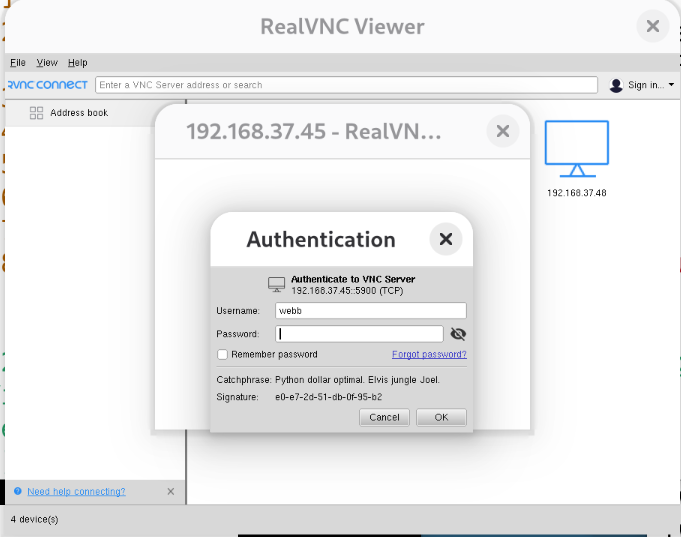
On a Raspberry Pi, use the graphical interface, Preferences, Recommended Software to install and remove RealVNC.
On a Raspberry Pi with a 4K monitor, the size of the viewer interface is satisfactory.
Remmina has specify problem with the Raspberry Pi wayvnc server. The Raspberry Pi wayvnc server has a self-signed certificate that Remmina does not reconize. When this occurrs, for some reason, Remmina ask the client for a bunch of authentification files.
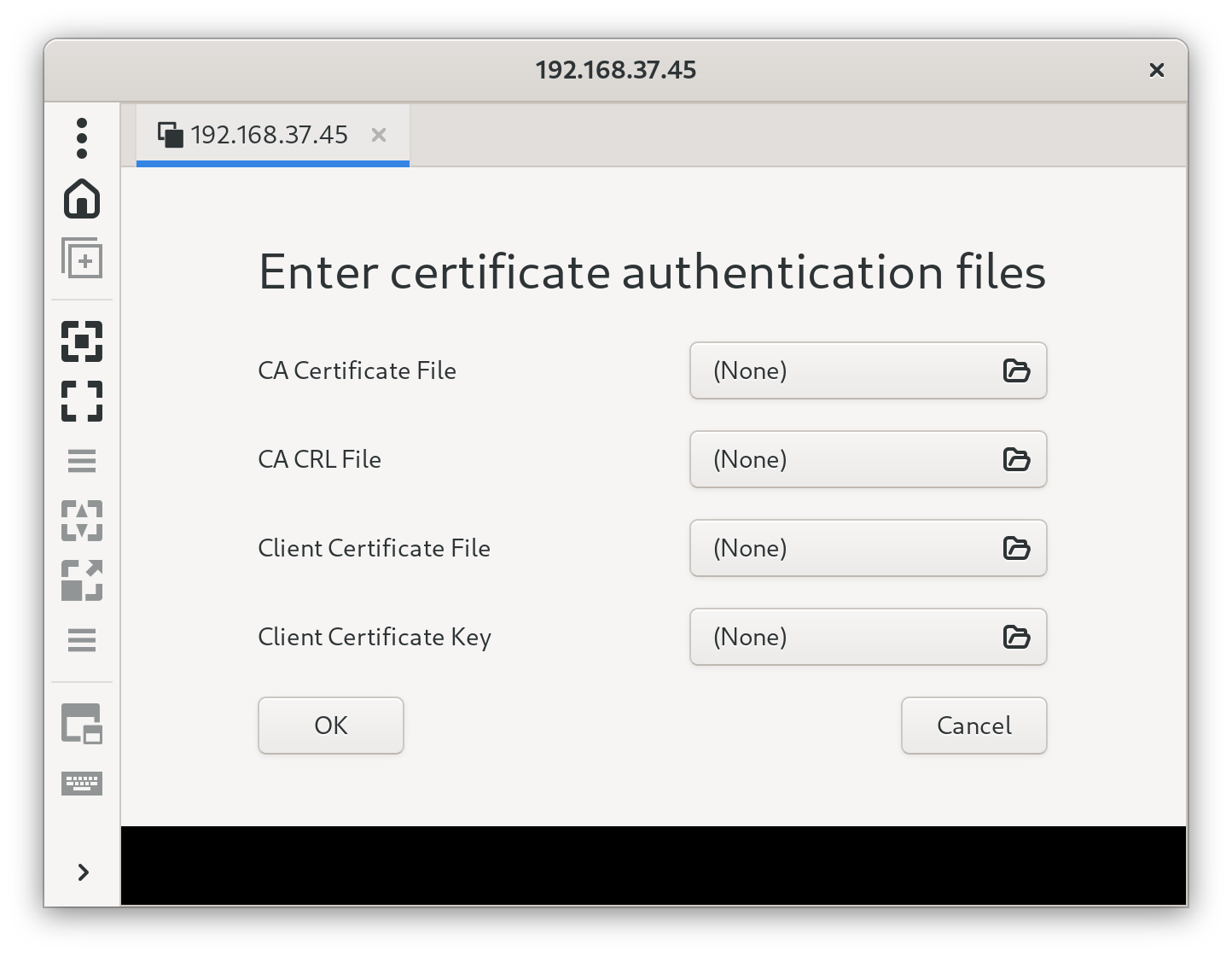
See reference [1] for a recent (June 2024 - July 2025) discussion of this. Remmina is trying to say that this is not their problem, but a problem with a library that they have no control over. However, other VNC viewers do not have this problem, or they have worked around it.
To see what it would look and feel like, change the following two lines (on the remote host) in /etc/wayvnc/config from true to false [1].
enable_auth=true
enable_pam=true
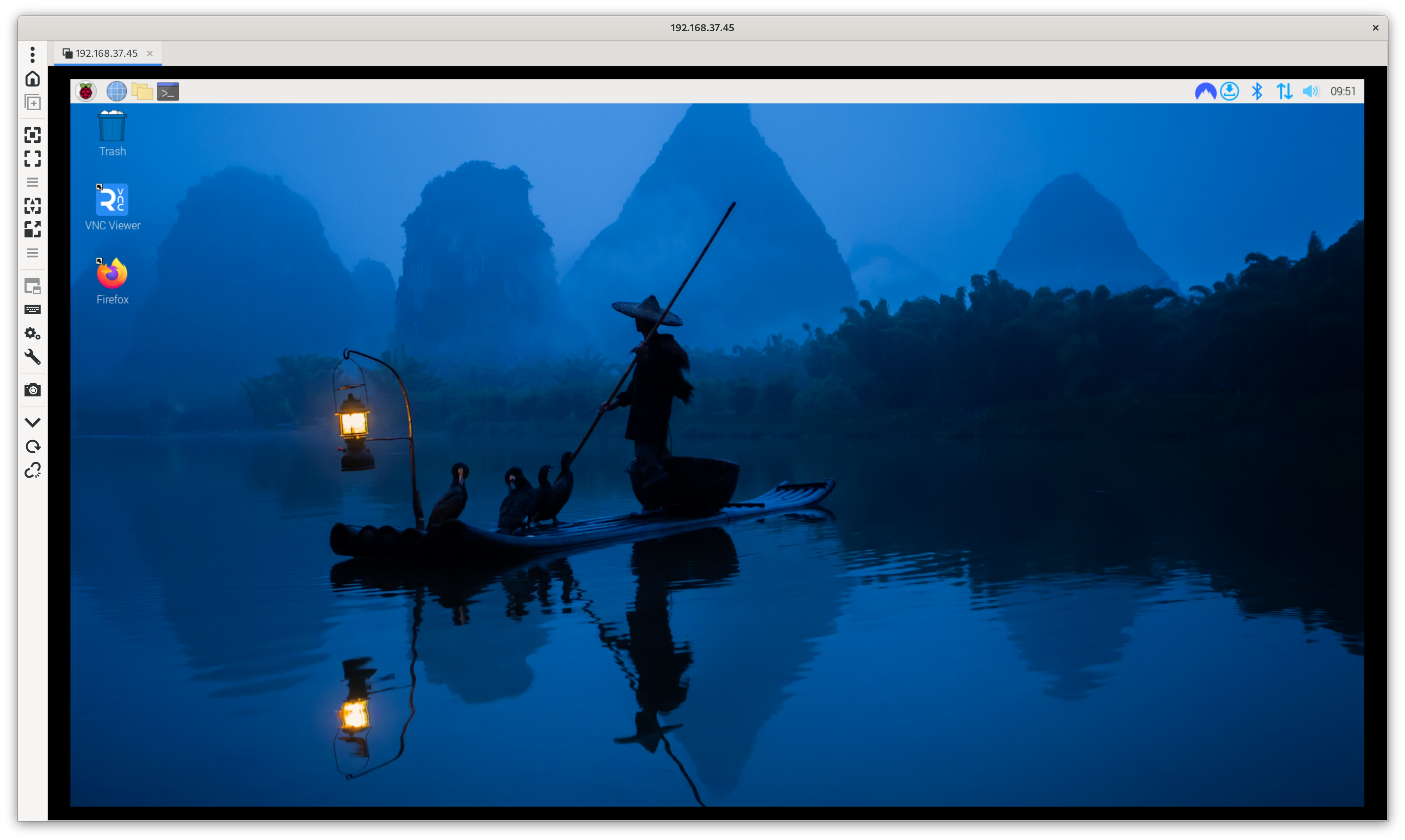
This is not recommended. This will allow anyone to log into the remote host via vnc without a username or password.
This problem was first report to Remmina on June 6, 2024, and a year later, it has not been fixed. However, in July 2025, Remmina said they they were looking into it, and hopefully, there would be a postive outcome [1].
© Copyright Dr. Ray Franco, PhD, PE | 2006-2025. All rights reserved.